During a serious outage, send an initial message promptly and tell recipients when to expect the next update. These templates cover the initial notice, progress updates, and resolution. Fill in the variables and check the facts before sending.
Common Problems in Incident Updates
- Ambiguous scope. Say exactly what is degraded and who is affected.
- No owner. Name the incident commander and the comms owner every time.
- Late updates. Promise the next update time and meet it.
- Speculation. Report facts and current mitigation only. Keep guesses out.
Templates by Severity
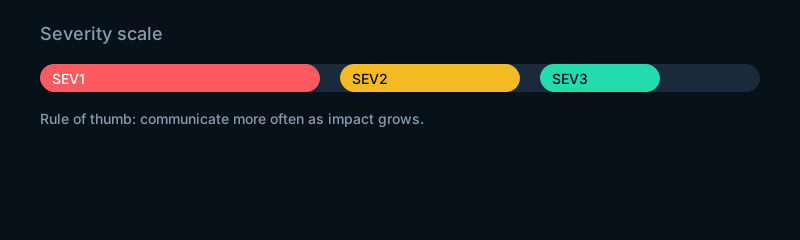
Choose SEV1 for critical customer‑impacting outages; SEV2 for serious partial impact. Edit bracketed variables and remove any lines that do not apply.
SEV1 Initial (Email)
Subject: [SEV1] [Service/component] outage — next update [HH:MM TZ]

Impact: [Who is affected and how].
Start: [HH:MM TZ, YYYY‑MM‑DD].
Scope: [Systems/regions].
Mitigation: [What is being done now].
Owner: [Incident commander name].
Next update: [HH:MM TZ] or sooner if material change.
Status page: [link]
SEV1 Initial (Slack)
SEV1 — [Service/component]
Impact: [who/how]
Start: [HH:MM TZ]
Scope: [systems/regions]
Mitigation: [current action]
IC: [name] | Comms: [name]
Next update: [HH:MM TZ]
Status: [status page link]
SEV1 Follow‑Up (Email or Slack)
Update [N]:
Facts since last: [two bullets max].
Mitigation: [action taken / plan].
ETA confidence: [low/medium/high if safe].
Next update: [HH:MM TZ].
SEV1 Resolution
Resolved — [Service/component]
Impact window: [start] to [end, TZ].
Root cause: [known/under investigation].
User impact: [what customers saw].
Remediation: [what changed to resolve].
Follow‑ups: [RCA window and owner].
SEV2 Initial
Subject: [SEV2] Degradation on [service]
Impact: [subset of users/functions].
Start: [HH:MM TZ].
Scope: [systems/regions].
Mitigation: [action].
Owner: [IC] | Next update: [HH:MM TZ].
Status page: [link]
Audience Variants
Internal Engineering
Include ticket links, build IDs, rollback options, and on‑call handoffs. Keep timestamps in UTC.
Executives
Lead with business impact, customer communication, and ETA confidence. One short paragraph is enough.
Customers / Status Page
Use plain language, describe the customer impact, and give the next update time. Omit stack traces and vendor names.
Channel Specifics
- Email: Put severity and next update in the subject. Use a short template body.
- Slack: Post in a named incident channel. Pin the latest summary.
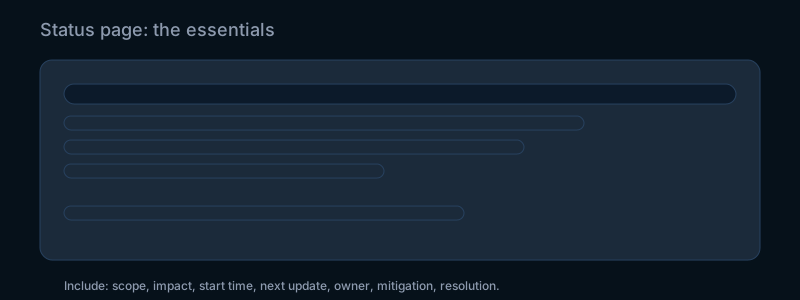
- Status page: Log initial, follow‑ups, and resolution. Keep a change log.
Update Intervals and When to Stop
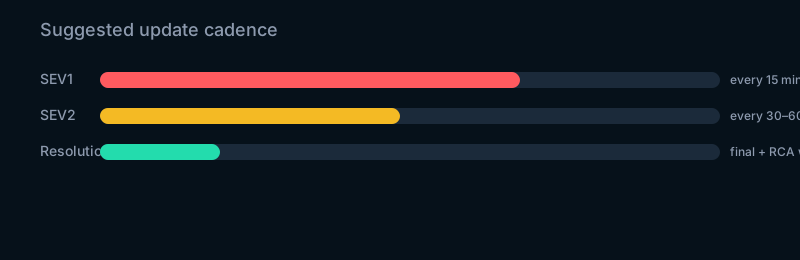
- SEV1: every 15 minutes until mitigated, then every 30 minutes until resolved.
- SEV2: every 30–60 minutes until resolved.
- Stop when impact ends and the resolution note has been sent.
Add the Templates to Your Runbook
- Keep variables consistent:
[service],[impact],[start],[next update],[owner]. - Link the status page. Store these snippets in your on‑call runbook.
- After action: schedule the RCA window and assign owners.
For teams that want 24/7 monitoring, on-call engineering, and structured incident response across applications and cloud infrastructure, see our application management and operations service.