Use this template to document incident roles, severity levels, update intervals, and response steps. Adapt it to your services and test it with the people who will use it.
Download Markdown template Generate a runbook in your browser
What to Include in an Incident Runbook
It names the roles (Incident Commander, Tech Lead, Comms, Scribe) and who can fill them. It defines severity levels by user impact and scope. It sets the cadence for updates and who approves external messages. It links the tools the team uses: dashboards, logs, ticketing, and on-call rotation.
Keep the response steps short enough for the team to follow during an incident. Link to background policies and post-incident review documents where needed.
Template Sections
These are the sections we include when we operate client environments. The Markdown download above contains the same structure with placeholders.
- Scope: which systems and data this runbook covers.
- Triggers: which alerts or conditions open an incident.
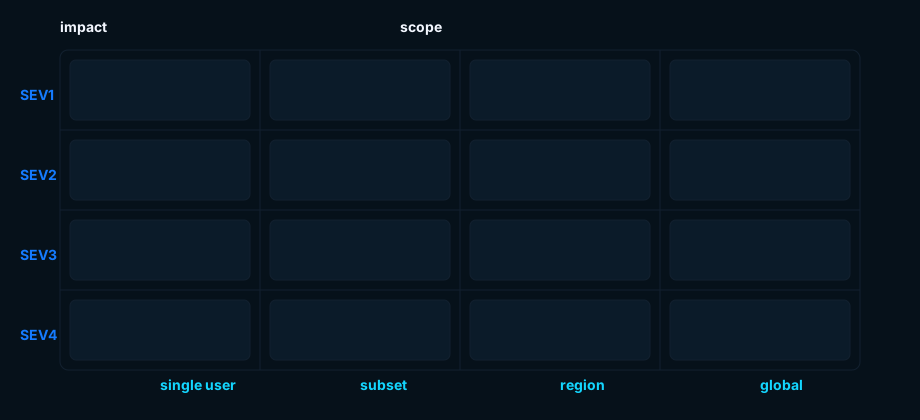
- Severity levels: SEV1 to SEV4 with concrete thresholds.
- Roles: IC, Tech Lead, Comms, Scribe, and common SMEs.
- Communications: channels, cadence, and approval flow.
- Tooling: links to dashboards, logs, paging, and tickets.
- Standard response: acknowledge, stabilize, diagnose, fix, close.
- Escalations: when to involve leadership, vendors, or security.
- Exit criteria: what “resolved” means operationally.
- Post‑incident review: evidence to collect and questions to answer.
Communication Templates by Severity
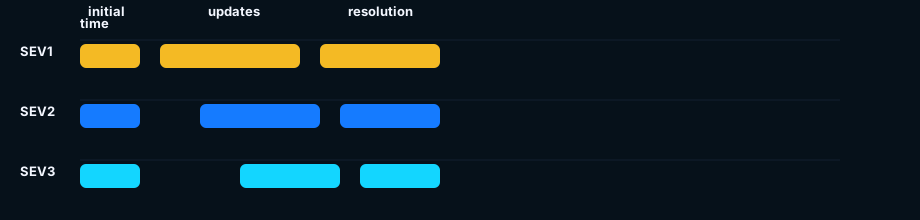
Script the first update, the follow‑ups, and the resolution note. Having the structure ready lets the responder focus on the incident details.
SEV1 Initial (15 Minutes)
Subject: [SEV1] Service outage: investigating
Body: We are investigating an outage affecting scope/users. Next update in 15 minutes or sooner if material change. Reference: INC‑1234.
SEV2 Initial (30–60 Minutes)
Subject: [SEV2] Service degraded: triaging
Body: We are triaging elevated errors/latency affecting subset. Next update in 30–60 minutes. Reference: INC‑5678.
Resolution
Subject: Service incident resolved
Body: Impact window start–end, cause short cause, actions taken, and prevention items (review to follow).
Worked Example: SaaS API Outage
Trigger: 5xx above 10% for 5 minutes; multiple customer reports. Severity: SEV1. Roles: IC=A. Lee; Tech Lead=J. Patel; Comms=K. Nguyen; Scribe=M. Ortiz.
- 00:03: roll back deploy 2026‑08‑26.2; error rate drops to 4%.
- 00:06: scale API pods +2 per AZ; latency returns to baseline.
- 00:12: investigate DB CPU spikes; revert index migration.
- 00:20: resolved; resolution note prepared; follow‑ups filed.
Worked Example: Security Event
Trigger: EDR flags lateral movement attempt on app server. Severity: SEV2 (escalate to SEV1 if confirmed compromise). Roles: IC=B. Smith; Tech Lead=R. Zhao; Comms=J. Ali; Scribe=H. Cohen.
- Isolate host from network; snapshot disk and memory.
- Rotate credentials for affected services.
- Review logs for data exfil; prepare customer notice if required.
- Coordinate with Legal for wording and retention.
How to Test a Runbook and Keep It Current
Run a tabletop monthly for 45 minutes. Pick a realistic trigger, assign roles, and practice the first thirty minutes. Time‑box the drill, then capture what was missing and fix it immediately. Tie the runbook to change hooks: a deploy that changes the failure surface (auth, database, network) should flag a runbook review.
When incidents happen for real, update the template the same day you close the ticket. Record changes while the incident details are still available. If your team needs an engineering partner to share on-call duty, maintain runbooks, and operate production systems, our application management and operations service covers monitoring, incident response, and ongoing maintenance.
Prefer a guided flow? Generate a runbook and export Markdown or Word.